Hi ! Everyone , This is my new blog where ill be sharing all the latest news tips and tricks and how to use some cool and amazing softwares available in the market for Windows and Mac PCs . Will Keep you updated with all the latest versions available in the market , May be you will find something which can really help you with your works so Subscribe to this blog by email newsletter and get the latest information right into your mailbox .
Showing posts with label graphics. Show all posts
Showing posts with label graphics. Show all posts
Friday, 22 April 2011


Tuesday, 1 March 2011
CoolwareMax Face Off Max 3.2

CoolwareMax Face Off Max 3.2.2.2 | 6.4 MB
Face Off Max - Make fun photo by putting your face on another body using any photo or template. Haven't you ever wondered how you would look if you had another body? Wouldn't it be great to see your face in a celebrity group or on a magazine cover? Now Face Off Max enables you to embarrass your coworkers, make yourself look cool and make your friends look like dweebs all with a few clicks of the mouse. Our amazingly simple and easy interface, step-by-step instruction and hundreds of fantastic templates allow anyone to be a professional artist.
Key Features
• Easy to Use
Amazingly simple and easy interface allows anyone to be an artist.
• Real Skin Blending
Make headswaps look better than other photo editors.
• Fantastic Template
Hundreds of cool templates designed by professional artists.
• Easy to Share
Perfect for Email, myspace, facebook, ecards, fakes, jokes and many more!
Home Page - http://www.faceoffmax.com/
• Easy to Use
Amazingly simple and easy interface allows anyone to be an artist.
• Real Skin Blending
Make headswaps look better than other photo editors.
• Fantastic Template
Hundreds of cool templates designed by professional artists.
• Easy to Share
Perfect for Email, myspace, facebook, ecards, fakes, jokes and many more!
Home Page - http://www.faceoffmax.com/
Photodex ProShow Producer 4.51

Photodex ProShow Producer 4.51.3003.Includes styles, templates, plug-ins (27.02.2011)
Photodex ProShow Producer - is the leading software for creating professional-quality slide show presentations of photo and video materials with the possibility of pre-editing, adding sound tracks, text, logos and styles. Many built-in video effects transition and the ability to add their own. Supported file formats: DVD, Blu-Ray, CD, EXE, Flash, HD Video, and others, expanding opportunities to work with key personnel, the possibility of ripping audio CDs and save them to MP3 for use in the slideshow.
PhotoInstrument 4.6.481

PhotoInstrument 4.6.481 | 3.4 MB
PhotoInstrument is a powerful and easy-to-learn raster graphics editor used to process digital photographs. With only a few clicks, anyone can solve most digital photo problems: Photo Editing; Photo Retouch; Draw MakeUp. Make your photo looks like its taken by professional photographer. If you ever wonder to touch up your photo, so you look more beautiful on your facebook or friendster or even on myspace, well this software is answer your question.
Current version includes these tools:
• Liquify
• Clone
• Smudge
• Skin Cleaner
• Glamour Skin
• Dodge / Burn
• Brush
• Blur
• Sharpen
• Colorize
• Rotate / Scale
• Red Eye Removal
• Brightness-Contrast
• Adjust Color Levels
• Glow
• Healing Brush
• Denoise
• Object Removal
Supported languages:
• English
• Bulgarian
• Czech
• Dutch
• French
• German
• Hungarian
• Italian
• Korean
• Polish
• Portuguese
• Russian
• Serbian
• Spanish
• Simplified Chinese
• Turkish
Home Page - http://www.photoinstrument.com/
Pinnacle Studio HD 15 Content Pack v2.0 Light | 5.25 GB

Pinnacle Studio HD 15 Content Pack v2.0 Light | 5.25 GB
Pinnacle Studio HD 15 Content Pack 2.0 Light - a collection of effects and add-ons for Pinnacle Studio HD 15. All additions greatly expand the possibilities of the program Pinnacle Studio, which will allow you to increase your creativity, well, a huge set of special effects will help to better and more productive to work on the footage.
The assembly:
- Premium Pack Volume 1-2
- Themes Winter Pack
- Creative Pack Volume 1-3
- Title Extreme
- Hollywood FX Volume 1-3
- RTFX Volume 2
- ScoreFitter Volume 1-3
- Video Plugins: BS Effects
- Video Plugins: BWPlugins Pack 1-3
- Video Plugins: Bravo Studio Pack 1-3
- Video Plugins: Camera POV
- Video Plugins: Canal +
- Video Plugins: Dziedzic Pack
- Video Plugins: FX
- Video Plugins: KHT
- Video Plugins: Liquid 3D Editor
- Video Plugins: Liquid Mosaic
- Video Plugins: Liquid RGB Difference Key
- Video Plugins: MisterZ
- Video Plugins: NewBlue Video
- Video Plugins: Pixelan SpiceMASTER Pro 2.5
- Video Plugins: Stage Tools
- Video Plugins: TimeCode
- Video Plugins: Vance Effects
- Video Plugins: Vdub2RTFx
- Video Plugins: WL Filter
- Pixel 1963 Alpha Magic Pack 1 (1189 gradient transitions)
- Pixel 1963 Alpha Magic Pack 2 (1000 gradient transitions)
Title: Pinnacle Studio 15 Content v 2.0 Light
Year: 2011
Platform: Windows 2000/XP/Vista/7
Thursday, 24 February 2011
Pinnacle Studio HD Ultimate Collection

Pinnacle Studio HD Ultimate Collection v15.0.0.7593
Brought to you by Avid®, the world leader in professional audio and video creation technology, Pinnacle Studio™ HD Ultimate Collection v.15 makes it easy to edit like a pro with intuitive new features, ultra-fast performance, and a massive content collection. Quickly import videos and photos—then edit scenes and make HD movies with over 2,200 effects and other content. Place people over virtual backgrounds using the built-in chroma-key effect and 5’ x 6’ green screen. Add interest with sophisticated animated titles, and produce your soundtrack with immersive Dolby Digital 5.1 surround. Then export your projects to popular formats—or burn to DVD or Blu-ray—and share them with the world. The unique new Archive and Restore tool conveniently preserves your work.
ImTOO Photo Slideshow Maker v1.0.2.0214

ImTOO Photo Slideshow Maker v1.0.2.0214
Bring your photos to life instantly with ImTOO Photo Slideshow Maker which can create amazing photo slideshows from your photo collections in easiest steps. Import your photo collections with any image format of jpg, jpeg, png, gif, bmp, tiff, xbm or xpm into the photo slideshow software, arrange the display sequence and insert audios as background music and export to videos in format of AVI, MPEG, WMV, DivX, MP4, H.264/AVC, AVCHD, MKV, RM, MOV, XviD or 3GP, then you can enjoy these vivid photo slideshows in great joy!
Main Functions
* Make Photo SlideshowCreate Photo Videos from Photo Gallery
Create photo slideshows from your photo gallery in any image format, including jpg, jpeg, png, gif, bmp, tiff, xbm and xpm.
* Convert Photo Slideshows to VideoExport Photo Slideshows to Various Video Formats
Support exporting created photo slideshows to quality videos in various formats, like of AVI, MPEG, WMV, DivX, MP4, H.264/AVC, AVCHD, MKV, RM, MOV, XviD and 3GP.
* ImTOO Photo Slideshow MakerMake Photo Slideshow with Music
Insert any audio in format of AAC, AIF, AIFF, AC3, APE, AU, FLAC, MPA, MP2, MP3, OGG, RA, WAV, WMA, M4A into the application as background music to enrich the output slideshow effect.
* Make Photo VideosEasiest Steps to Make Photo Videos
Just drag and drop photos and music to the application to add contents to a photo slideshow video.
Key Features
* Free to adjust the orientation of imported photos as well as the display order of images by dragging and dropping easily.
* Apply transitional effects to the slideshow to make your photo video playing more smooth.
* Import several audio files as background music and adjust the playing sequence as wish.
* Clip segment from one audio files as the background music.
* After making actions are provided, you can do nothing or exit the program, herbinate, standby or shut down the computer after the photo video is created.
* Multi-lingual interfaces are offered in language of English, French, Italian, Spanish, German, Japanese, Simplified or Traditional Chinese.
Home Page - http://www.imtoo.com/photo-slideshow-maker.html
* Make Photo SlideshowCreate Photo Videos from Photo Gallery
Create photo slideshows from your photo gallery in any image format, including jpg, jpeg, png, gif, bmp, tiff, xbm and xpm.
* Convert Photo Slideshows to VideoExport Photo Slideshows to Various Video Formats
Support exporting created photo slideshows to quality videos in various formats, like of AVI, MPEG, WMV, DivX, MP4, H.264/AVC, AVCHD, MKV, RM, MOV, XviD and 3GP.
* ImTOO Photo Slideshow MakerMake Photo Slideshow with Music
Insert any audio in format of AAC, AIF, AIFF, AC3, APE, AU, FLAC, MPA, MP2, MP3, OGG, RA, WAV, WMA, M4A into the application as background music to enrich the output slideshow effect.
* Make Photo VideosEasiest Steps to Make Photo Videos
Just drag and drop photos and music to the application to add contents to a photo slideshow video.
Key Features
* Free to adjust the orientation of imported photos as well as the display order of images by dragging and dropping easily.
* Apply transitional effects to the slideshow to make your photo video playing more smooth.
* Import several audio files as background music and adjust the playing sequence as wish.
* Clip segment from one audio files as the background music.
* After making actions are provided, you can do nothing or exit the program, herbinate, standby or shut down the computer after the photo video is created.
* Multi-lingual interfaces are offered in language of English, French, Italian, Spanish, German, Japanese, Simplified or Traditional Chinese.
Home Page - http://www.imtoo.com/photo-slideshow-maker.html
Wednesday, 6 May 2009
Nvidia DVD Player
Nvidia DVD Player v2.5
Millions of end users are harnessing the power of the PC to bring photos, videos, music, multimedia and DVDs to life in their living room, on their desktop and on the road. The next version of NVIDIA NVDVD multimedia software, NVIDIA NVDVD 2.0, combines the ultimate video and audio playback with advanced features and intuitive controls to enable a home theater experience on any desktop or notebook PC.
NVIDIA NVDVD is a full media player with play-list support, enabling users to create custom playlists of MP3 music, photo slideshows with background music, or any mixed audio and video presentation.
Millions of end users are harnessing the power of the PC to bring photos, videos, music, multimedia and DVDs to life in their living room, on their desktop and on the road. The next version of NVIDIA NVDVD multimedia software, NVIDIA NVDVD 2.0, combines the ultimate video and audio playback with advanced features and intuitive controls to enable a home theater experience on any desktop or notebook PC.
NVIDIA NVDVD is a full media player with play-list support, enabling users to create custom playlists of MP3 music, photo slideshows with background music, or any mixed audio and video presentation.
Wednesday, 18 March 2009
Zoner Draw 4
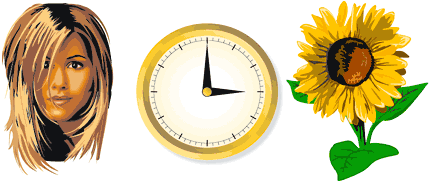 Zoner Draw - unleash your creativity
Zoner Draw is the vector graphics editor for everyone. At home or in the office, you’ll achieve professional results quickly and easily. Create and work with drawings, maps, blueprints, illustrations and more!
Zoner Draw 5 has the tools you need to design and enhance your illustrations, logos, and presentation graphics. Create your own shapes, lines, and curves, or use the many available templates. Make your pictures stand out with a broad array of object fills: from basic to the bold and extravagant, like fractal and shading patterns and six types of fountain fill settings. Zoner Draw 5 offers customizable pen styles, object transparency, advanced text tools, boolean operations on objects, and other advanced vector graphics tools. Zoner Draw also allows you to import from, and export to, all standard illustration formats. You can even export to bitmap format for use on the Web. The convenient preview pane allows you to set options such as anti-aliasing, JPEG compression, and more.
The speed of your graphics editor is important for your creativity. Zoner Draw 5 is among the fastest graphics editors on the market. With the convenient layout of the interface, you’ll soon discover how easy working with vector graphics can be!
Give your imagination wings
When you work with Zoner Draw, there are no limits on your creativity. To help you achieve truly professional results, Zoner Draw offers a wide range of tools for drawing even the most complex of documents, illustrations, and other graphics.
Graphics for a wide range of uses
Zoner Draw is a great tool for creating graphical documents such as greeting cards, flyers, illustrated price lists, letterheads, price tags, envelopes, greeting cards, New Years' greetings, and so much more. Included are advanced text tools, a broad range of options for printing, including dynamically generated documents and calendars. You can easily add bitmap and vector clip art to a drawing using the clip art gallery. And you can export to the universal PDF format.
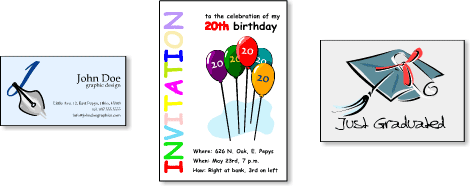
Illustrations and graphic design
Zoner Draw has many tools for creative illustrations, logos, presentation graphics, etc.: geometric shapes, including pre-defined polygons, advanced curve editing, a variety of fill types, from ordinary solid fills to frills like fractal fills and fountain fills, customizable pen styles, object transparency, work with text, boolean operations on objects, and other advanced vector graphics tools.
Thursday, 26 February 2009
Zoner Draw 4
Zoner Draw - unleash your creativityZoner Draw is the vector graphics editor for everyone. At home or in the office, you’ll achieve professional results quickly and easily. Create and work with drawings, maps, blueprints, illustrations and more!
Zoner Draw 5 has the tools you need to design and enhance your illustrations, logos, and presentation graphics. Create your own shapes, lines, and curves, or use the many available templates. Make your pictures stand out with a broad array of object fills: from basic to the bold and extravagant, like fractal and shading patterns and six types of fountain fill settings. Zoner Draw 5 offers customizable pen styles, object transparency, advanced text tools, boolean operations on objects, and other advanced vector graphics tools. Zoner Draw also allows you to import from, and export to, all standard illustration formats. You can even export to bitmap format for use on the Web. The convenient preview pane allows you to set options such as anti-aliasing, JPEG compression, and more.
The speed of your graphics editor is important for your creativity. Zoner Draw 5 is among the fastest graphics editors on the market. With the convenient layout of the interface, you’ll soon discover how easy working with vector graphics can be!
Give your imagination wings
When you work with Zoner Draw, there are no limits on your creativity. To help you achieve truly professional results, Zoner Draw offers a wide range of tools for drawing even the most complex of documents, illustrations, and other graphics.
Graphics for a wide range of uses
Zoner Draw is a great tool for creating graphical documents such as greeting cards, flyers, illustrated price lists, letterheads, price tags, envelopes, greeting cards, New Years' greetings, and so much more. Included are advanced text tools, a broad range of options for printing, including dynamically generated documents and calendars. You can easily add bitmap and vector clip art to a drawing using the clip art gallery. And you can export to the universal PDF format.
Illustrations and graphic design
Zoner Draw has many tools for creative illustrations, logos, presentation graphics, etc.: geometric shapes, including pre-defined polygons, advanced curve editing, a variety of fill types, from ordinary solid fills to frills like fractal fills and fountain fills, customizable pen styles, object transparency, work with text, boolean operations on objects, and other advanced vector graphics tools.
Subscribe to:
Posts (Atom)